AI body-fat scan
One to four photo angles — front, side, back, legs. Returns a body-fat estimate with a confidence range, a regional breakdown and a 0–100 physique score.
Scan your body fat from 1–4 photos and blend it with your smart scale, tape or calipers. Let the AI coach build today's session, check your form on-device for any exercise, and watch body, strength, flexibility and form move together.
Not on the App Store or Google Play yet — beta invites go out by email. Free tier: 4 AI scans a month.
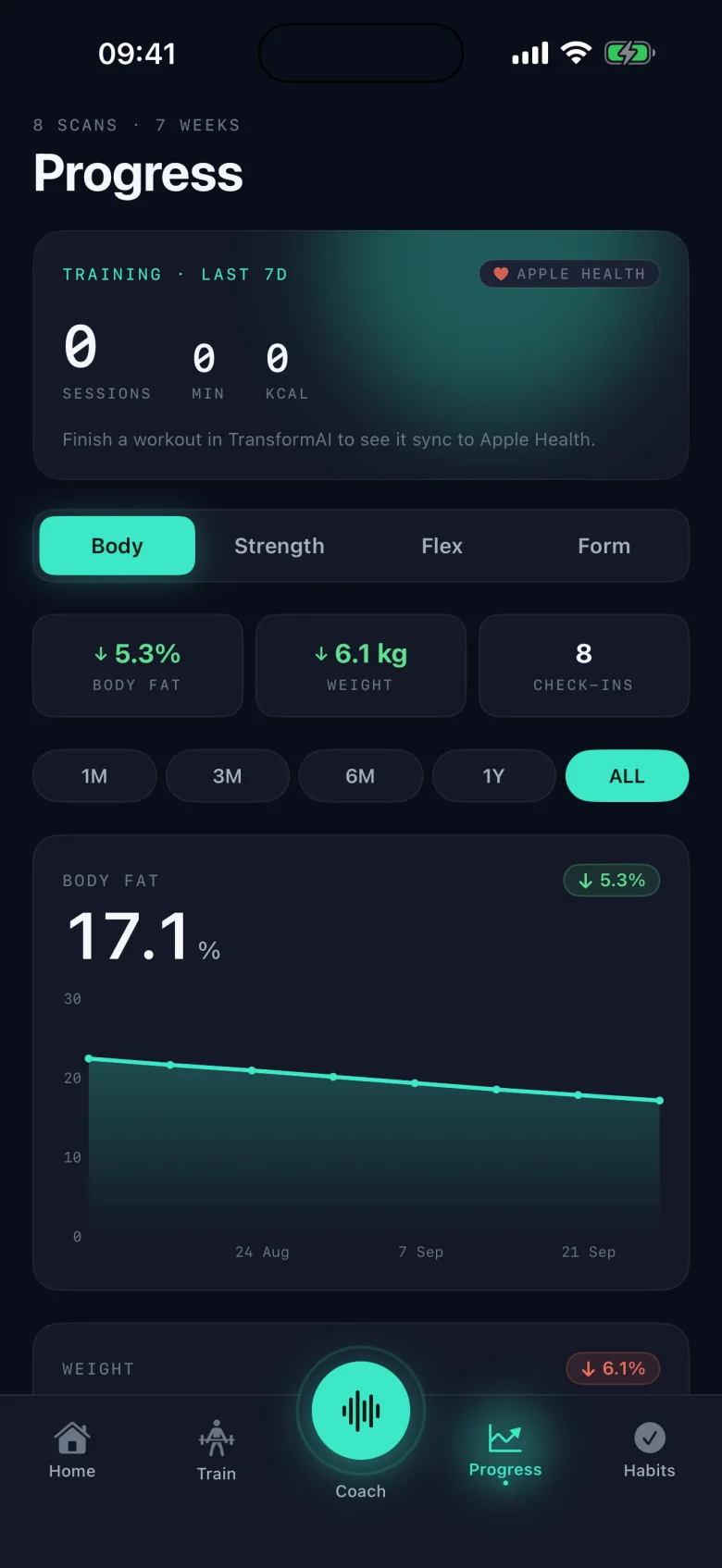
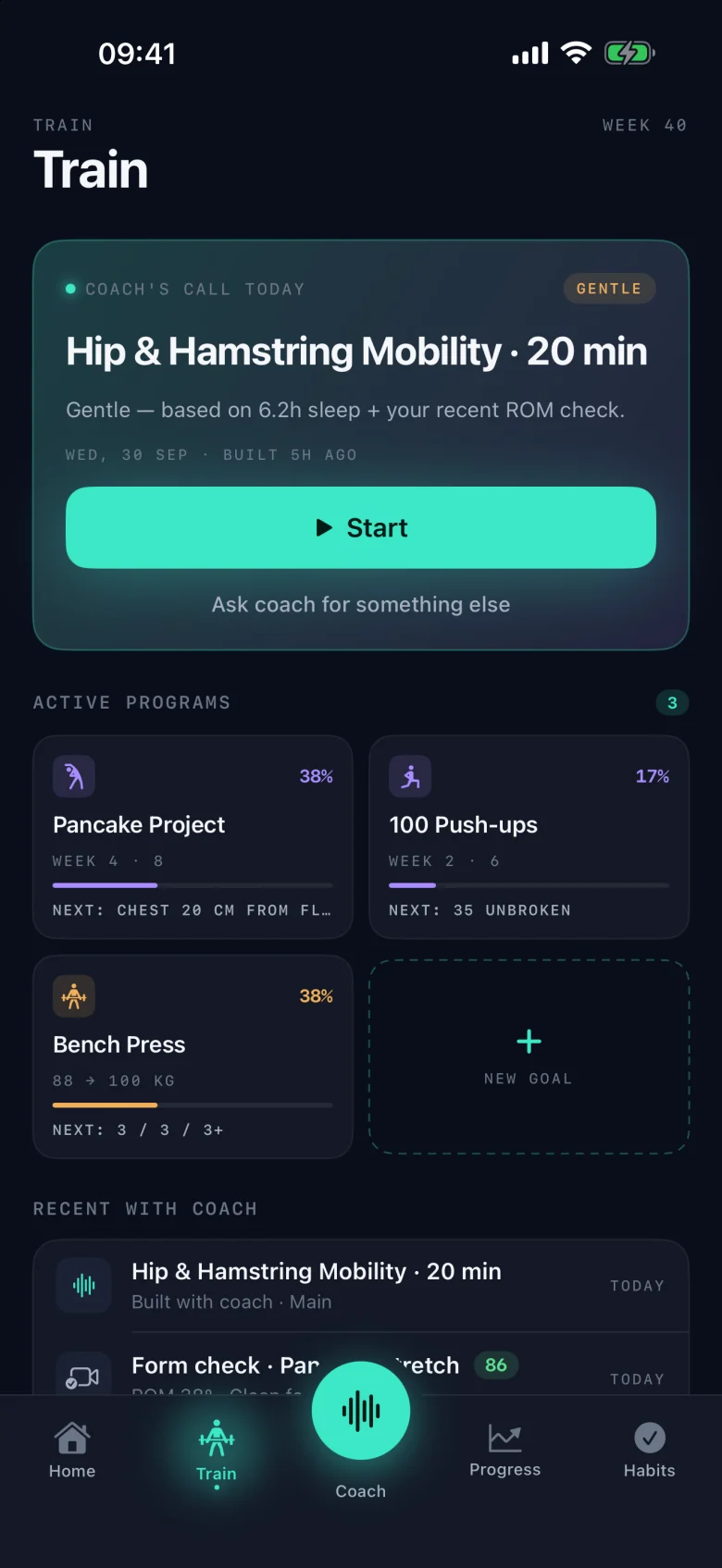
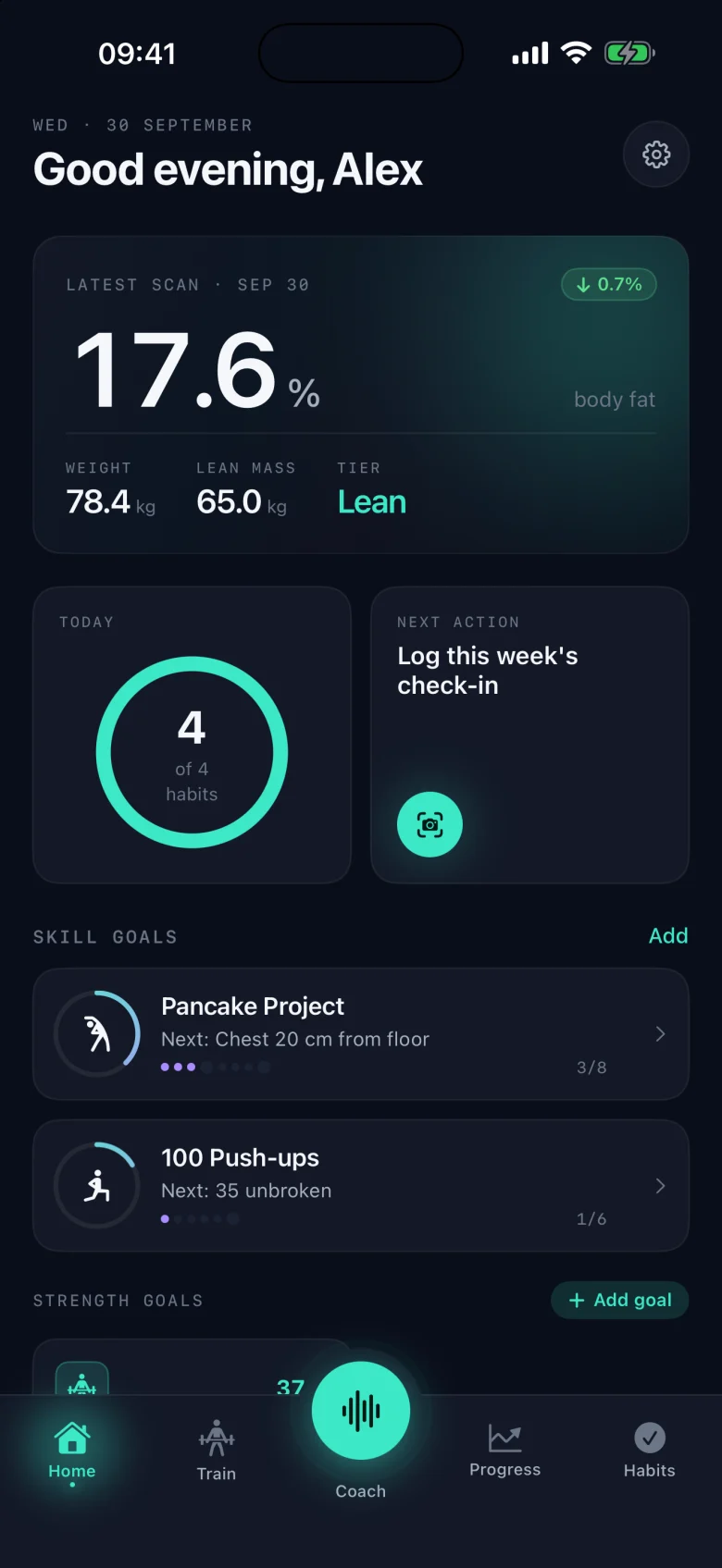
Real app screens · demo data
Why TransformAI
Workout apps plan sessions. Scan apps give you a number. Habit trackers count streaks. TransformAI keeps what you train and how your body responds side by side, so you can see both move.
TransformAI is in TestFlight beta on iPhone; the Android app is in development. Everything described here exists in the current iOS build.
How it works
How the app is meant to be used, week to week.
Pick what you're after — lose fat, build muscle or maintain — and optionally a skill goal (a first pull-up, a pancake) or a strength goal with a 1RM target.
One to four photos, plus weight and any measurements you have. Faces are blurred on your phone before upload. You get a body-fat estimate with a range, a regional breakdown and a physique score.
Tell the coach what you've got today by voice or text. It builds a session from a library of 870+ exercises with real photos, or a full weekly plan.
Work through the session set by set. Record any set for a form check — pose is analysed on-device and you get per-rep flags and camera-angle advice.
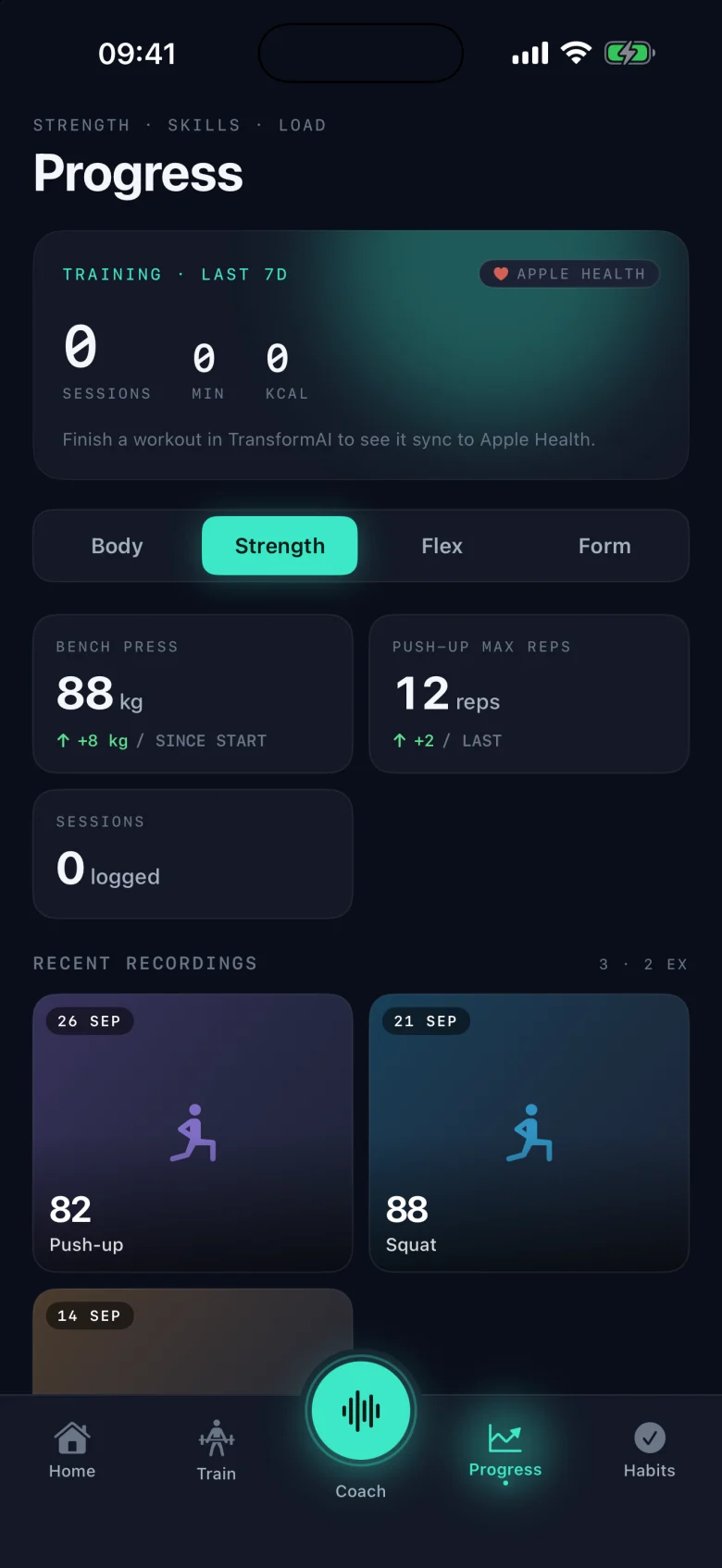
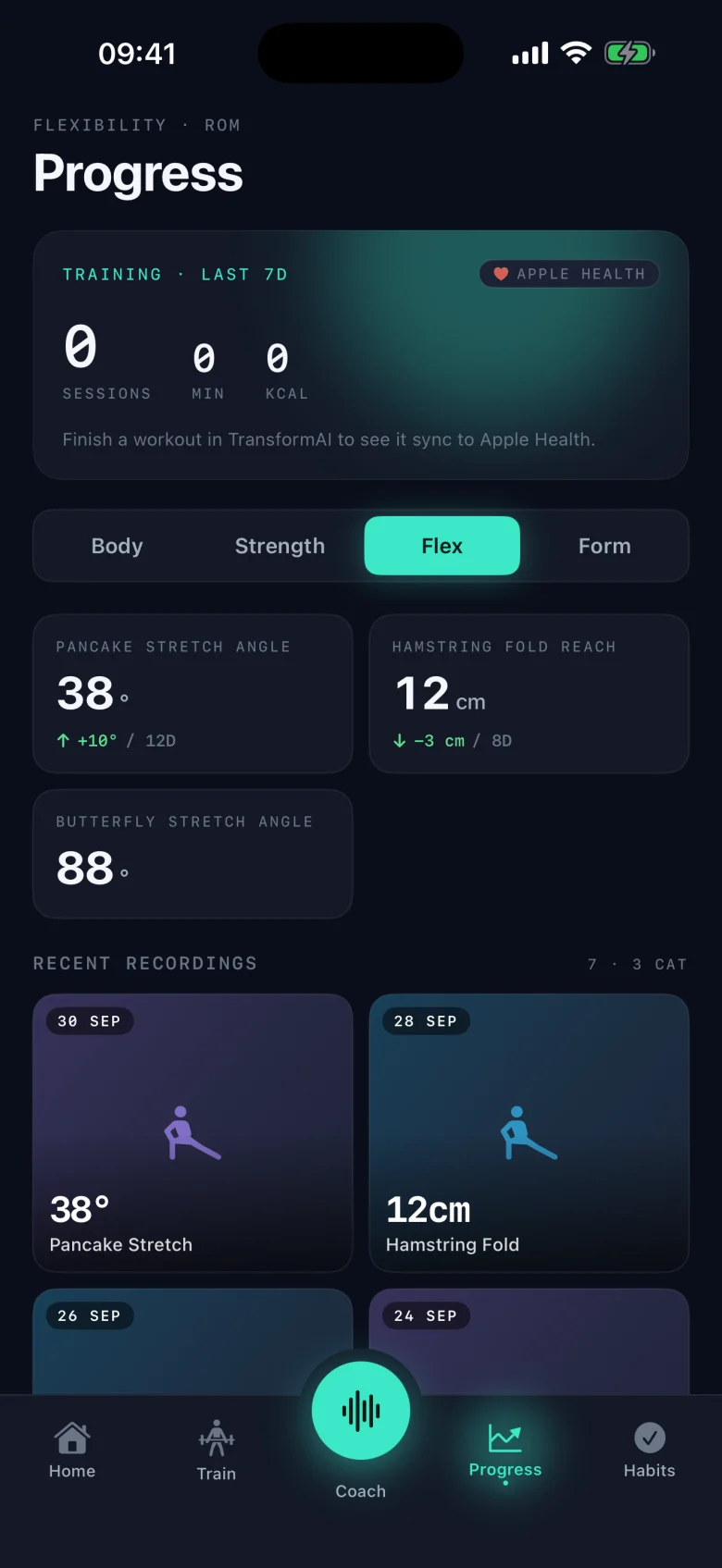
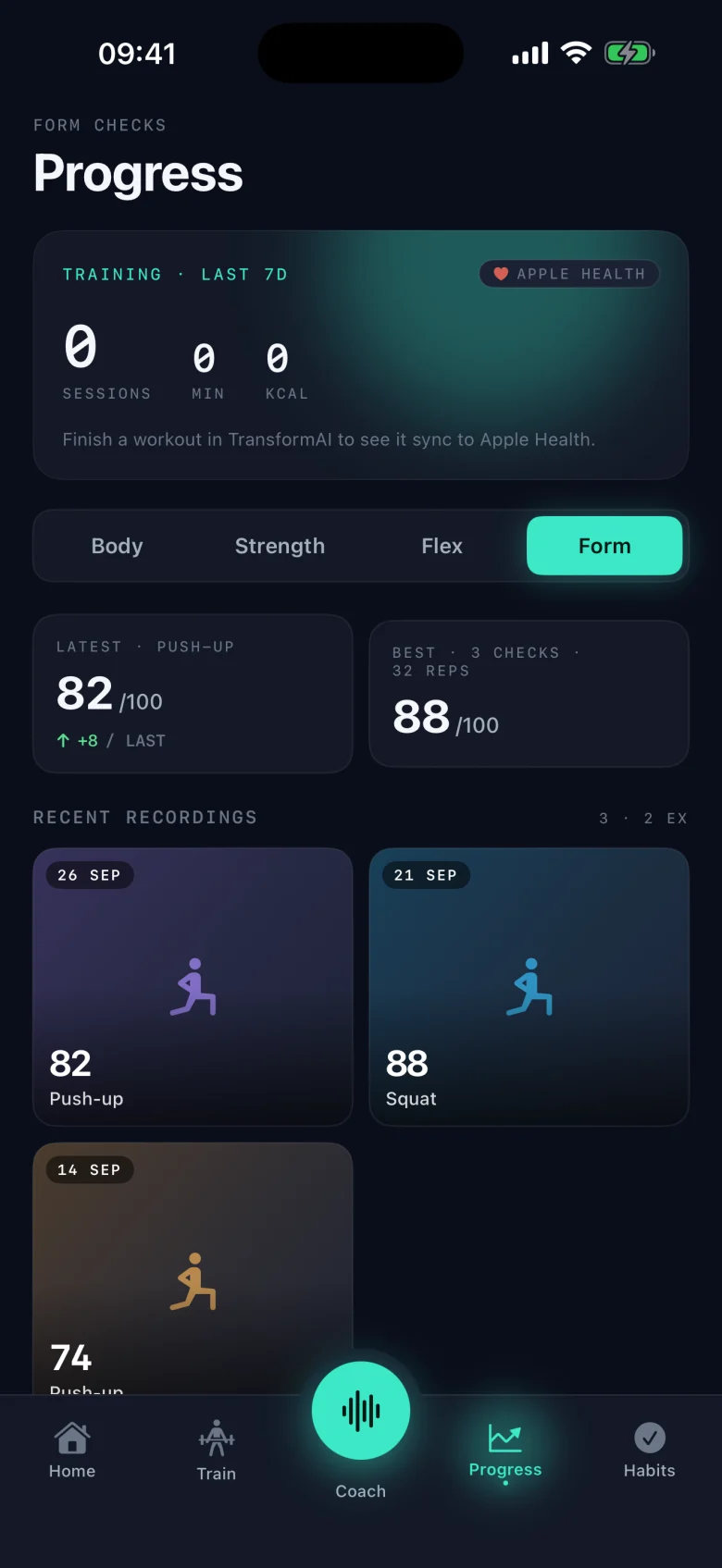
Tick off up to four daily habits and re-scan weekly. Progress shows body, strength, flexibility and form side by side.
Inside the app
Real screenshots from the iOS beta, running the app's built-in demo data. No mock-ups.
Home opens on your most recent body-fat estimate with the change since last time, weight and lean mass, today's habits and the goals you're working toward.
Progress, four ways
Features
Every feature below is in the current iOS beta build. Nothing on this list is a roadmap item.
One to four photo angles — front, side, back, legs. Returns a body-fat estimate with a confidence range, a regional breakdown and a 0–100 physique score.
Readings from Renpho, Withings, Eufy, Garmin or Zepp scales (via Apple Health / Health Connect) are blended with photos, tape and calipers. See the source breakdown and a 7-day smoothed number, or log from the scale with no photo.
Weekly plans and one-off sessions built around your goal, equipment and time, drawing on a public-domain library of 870+ exercises with real photos and instructions.
Tap to talk or type what you've got today. The coach builds the session, and can ask you for a quick assessment before it prescribes anything.
Record a set. Pose is analysed on-device — only numbers are sent, never the video — and graded against the exercise's instructions with per-rep flags and camera-angle advice.
Skill roadmaps such as a first pull-up or a pancake, broken into milestones. Strength goals with 1RM targets and 5/3/1 progressions.
Up to four daily habits you choose, one tap to log. Streaks per habit and a weekly heatmap show where the week slips.
Reads steps, sleep, weight and body fat; writes your workouts, weight and body fat back. On Android the same role is played by Health Connect.
Body, Strength, Flex and Form on one tab. Clips are stored locally, and a side-by-side progress reel is generated on your phone.
Faces are blurred on your device before a scan photo is uploaded. Form-check video never leaves the phone. Photos stay local unless you turn on cloud backup. No ads. Export or delete your data any time.
How the number is made
No home method measures body fat exactly. TransformAI combines whatever you give it and tells you how sure it is.
Front is required; side, back and legs narrow the range. A vision model estimates body fat, a regional breakdown and a 0–100 physique score. Photo-only estimates are roughly ±3–5 percentage points.
Body-fat and weight readings that Renpho, Withings, Eufy, Garmin or Zepp scales write to Apple Health (Health Connect on Android) are picked up automatically when they're recent.
Optional waist, hip and other circumferences you enter at check-in give the estimate a second, camera-independent signal.
If you take skinfold measurements, add them too. Every extra source you provide is blended in rather than replacing the others.
What you get back
Body-fat figures in TransformAI are wellness estimates, not medical measurements. Accuracy improves when you add a smart scale or measurements and keep lighting, pose and time of day consistent.
Pricing
The free tier includes 4 AI scans a month. Pro removes the scan limit, with a 7-day free trial on subscriptions. No ads on any tier.
Prices are in US dollars and are the in-app prices in the current build; the final price is confirmed at purchase by the App Store and may vary by region. The 7-day free trial applies to the monthly and annual subscriptions, which auto-renew until cancelled in your store account settings. The app is in beta and not yet on sale publicly.
FAQ
Straight answers, including the ones about what is not ready yet.
Guides
Five ways to check your body fat percentage at home — from a phone photo and a tape measure to calipers and smart scales — with honest accuracy ranges and DEXA as the reference point.
8 min readHow to drop body fat and gain muscle at the same time: how many calories to eat for body recomposition, a simple recomposition diet, how to train, and how to track progress when the scale barely moves.
11 min readBMI lumps together fat and muscle and ignores where fat is stored. Waist-to-hip ratio is a better predictor of metabolic disease, cardiovascular risk, and insulin resistance. Here's how to measure it and what to target.
9 min readBeta access
TransformAI 1.0.0 for iPhone is in TestFlight beta. Email us and we'll send an invite as spots open up. The Android app is in development — tell us if you want to hear when it's ready.
Version 1.0.0 · iOS 17+. Invites by email.
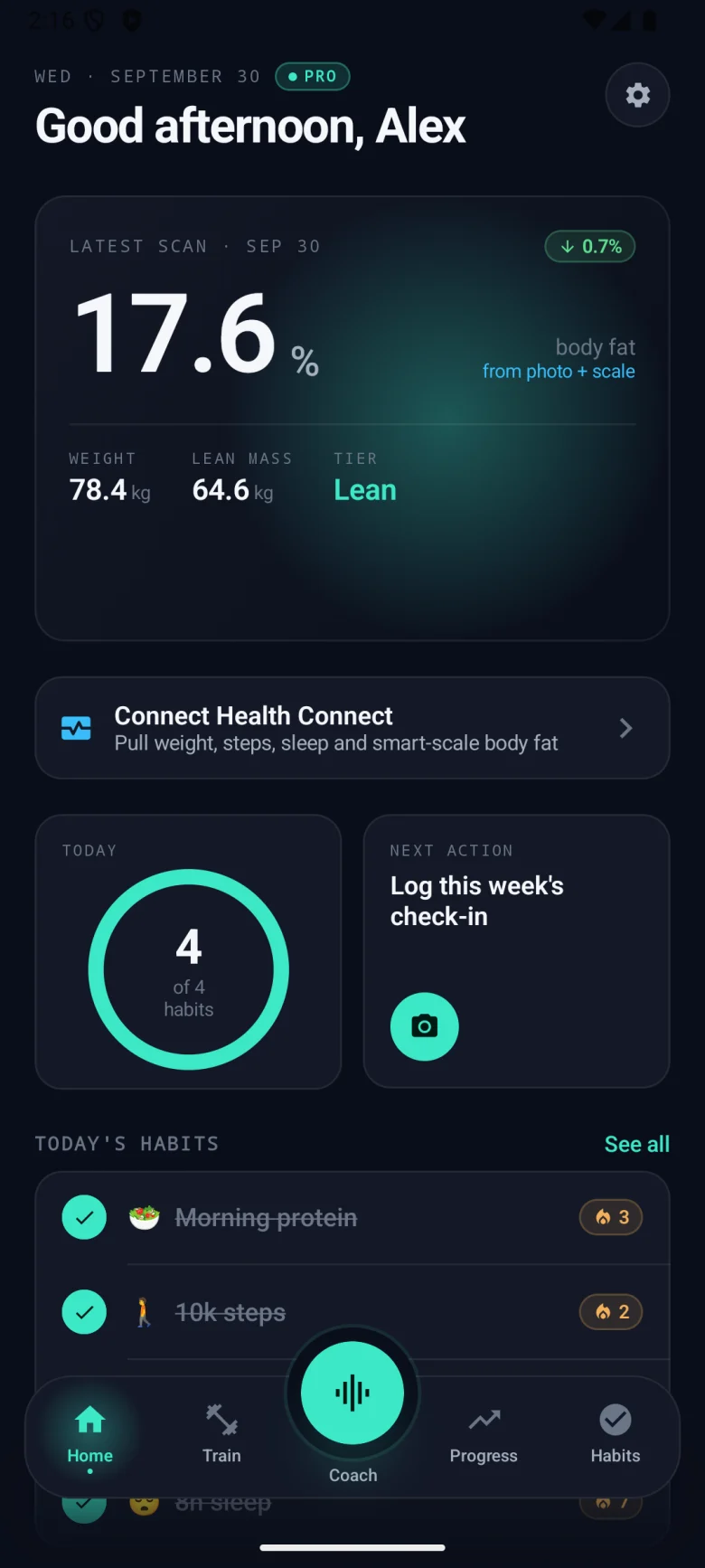
Native app with Health Connect. Screenshot from a development build — not available yet.